
By Numaan Huq and David Sancho (Senior Threat Researchers, Forward-Looking Threat Research Team, TrendAI™ Research)
Key takeaways
- AI has turned open-source intelligence (OSINT) from a manual effort into an automated pipeline, dramatically lowering the time, cost, and skills required to build target profiles at scale.
- LinkedIn content (posts, images, and metadata) now functions as machine-readable intelligence that can be enriched, ranked, and operationalized with off-the-shelf tooling.
- Reconnaissance is no longer a bottleneck for targeted attacks. Attackers can now generate tailored messaging and supporting assets fast enough to run “personalization” at volume. An organization’s attack surface now includes an employee’s digital footprint.
- Defensive posture needs to evolve from awareness training to a strategy that includes exposure management: policy, education, and controls that assume threat actors have deep external visibility.
Introduction
Enterprise security teams have long understood that publicly available information on their organizations can be abused. Today, it is not the existence of that data that has changed, but rather the practicality of exploiting it at scale. The combination of automated data collection, multimodal analysis, and accessible AI tooling has fundamentally altered the economics of reconnaissance and targeting.
Activities that once required skilled analysts, significant time investment, and manual correlation can now be automated by a single individual using off-the-shelf tools. This shifts the limiting factor away from expertise and toward something far simpler: motivation.
This work initially started as an internal open-source intelligence (OSINT) exercise. The original question we wanted to answer was not whether attackers could exploit public professional data, but how quickly a realistic proof-of-concept (PoC) system could be built using modern AI-assisted development workflows. Specifically, we wanted to know if we could automate the process of collecting public LinkedIn data, enriching it through contextual analysis, and operationalizing it into highly tailored targeting material for spear-phishing attacks.
The PoC system described in this article is the result of that exploration. It demonstrates how public posts, images, and metadata can be transformed into structured organizational intelligence and individualized profiles and how that intelligence can be used to generate realistic, highly personalized content at scale.
We do not present this as a guide for misuse, but rather as a practical demonstration of what is now feasible. The goal is not to alarm, but to ground the discussion in reality: The tooling exists, the barriers are low, and the implications for defenders are immediate.
The LinkedIn AI analysis tool
In this section, we walk through the LinkedIn AI analysis tool, how we collect public LinkedIn posts and images from company employees, and how the tool actually works.
We conceived this tool during an OSINT exercise, with the goal of using AI tools to quickly put together a PoC for automating the process of profiling an entire company’s leadership team based on the leaders’ public LinkedIn activity, going from raw posts and images to enriched profiles. We managed to create targeted “marketing content” (aka phishing) in under half an hour.
To build the LinkedIn AI analysis tool, we used Claude Code for local vibe coding, with Supabase running locally in Docker. Overall, we spent a little over 24 hours building the web application. The tool runs entirely on localhost; we created scripts to manage the Supabase Docker containers and the Vite dev server.
For LinkedIn data collection, we used Apify, a full-stack cloud platform for web scraping and data extraction. Despite LinkedIn’s strong anti-scraping protections, Apify’s infrastructure can handle these challenges with its anti-blocking protection and proxy services.
We used tools from HarvestAPI, a LinkedIn data scraping provider on the Apify platform. Specifically, we used these two actors:
- LinkedIn Profile Search Scraper No Cookies: This tool allows us to search for LinkedIn profiles by company, job title, location, and years of experience. We used it to find employees at target companies such as Trend Micro (of which TrendAI™ is a business unit), filtering for leadership roles such as director, vice president, and C-suite executives.
- LinkedIn Profile Posts Scraper No Cookies: Once we have the employee profiles, this tool extracts their recent LinkedIn posts that include content, engagement metrics, and most importantly, the URLs for the images shared in their posts.
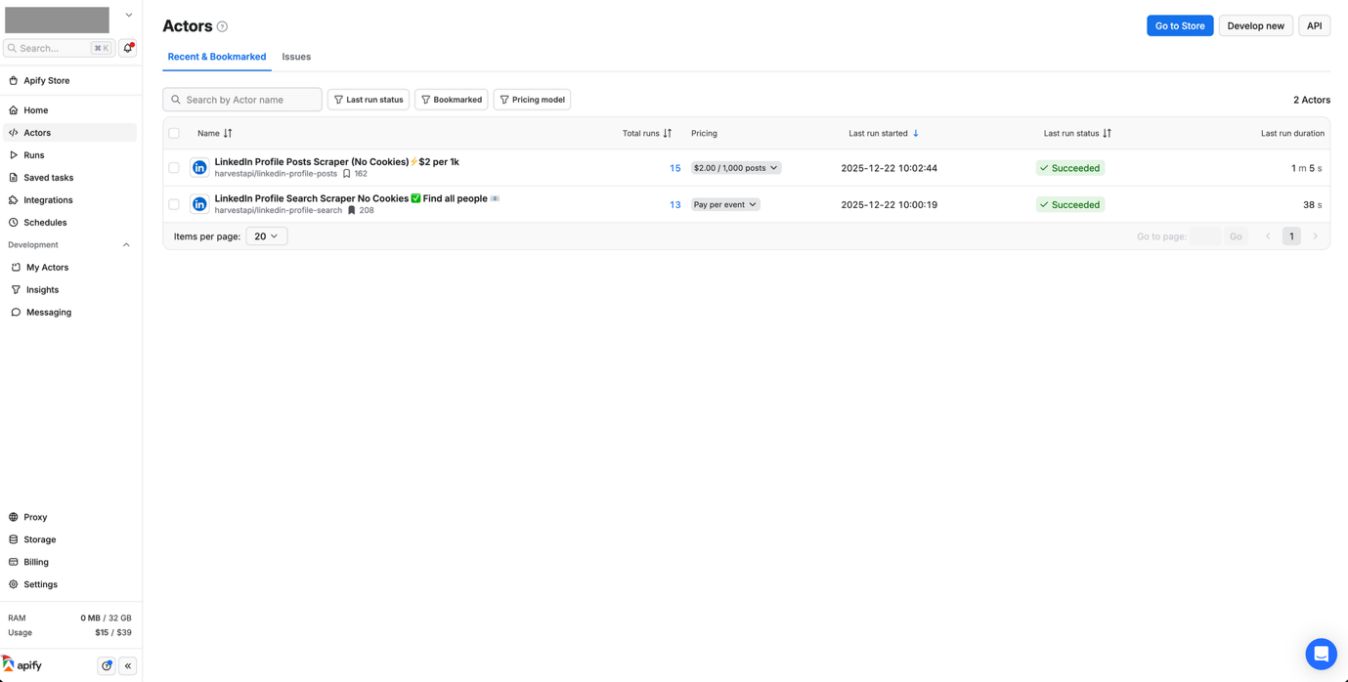
Figure 1. The Apify actors created by HarvestAPI that we used to collect LinkedIn data. One actor searches for people working in the targeted organization, while the other actor scrapes all LinkedIn posts for the target profile. Both actors require “No Cookies” and “No Login”.
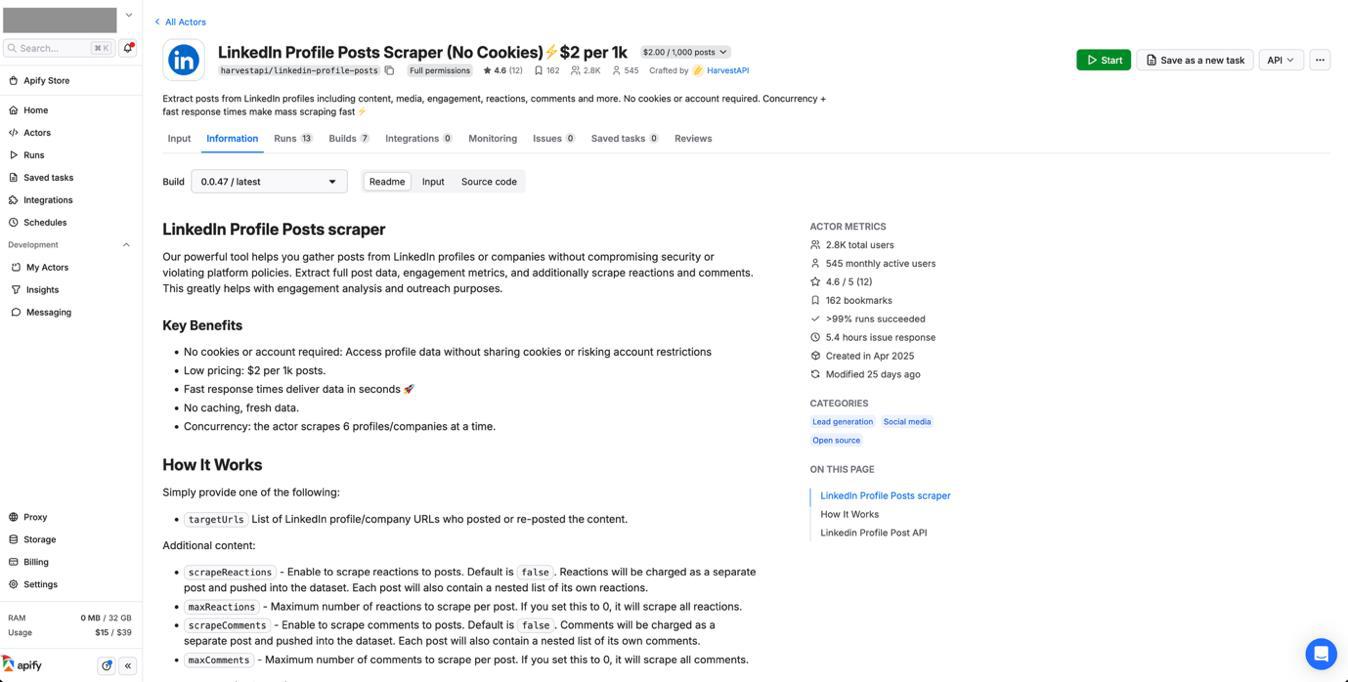
Figure 2. The LinkedIn Profile Post Scraper actor gathers posts from LinkedIn profiles or companies. It allows us to specify the number of posts to scrape for each profile, which include reposts and quote posts.
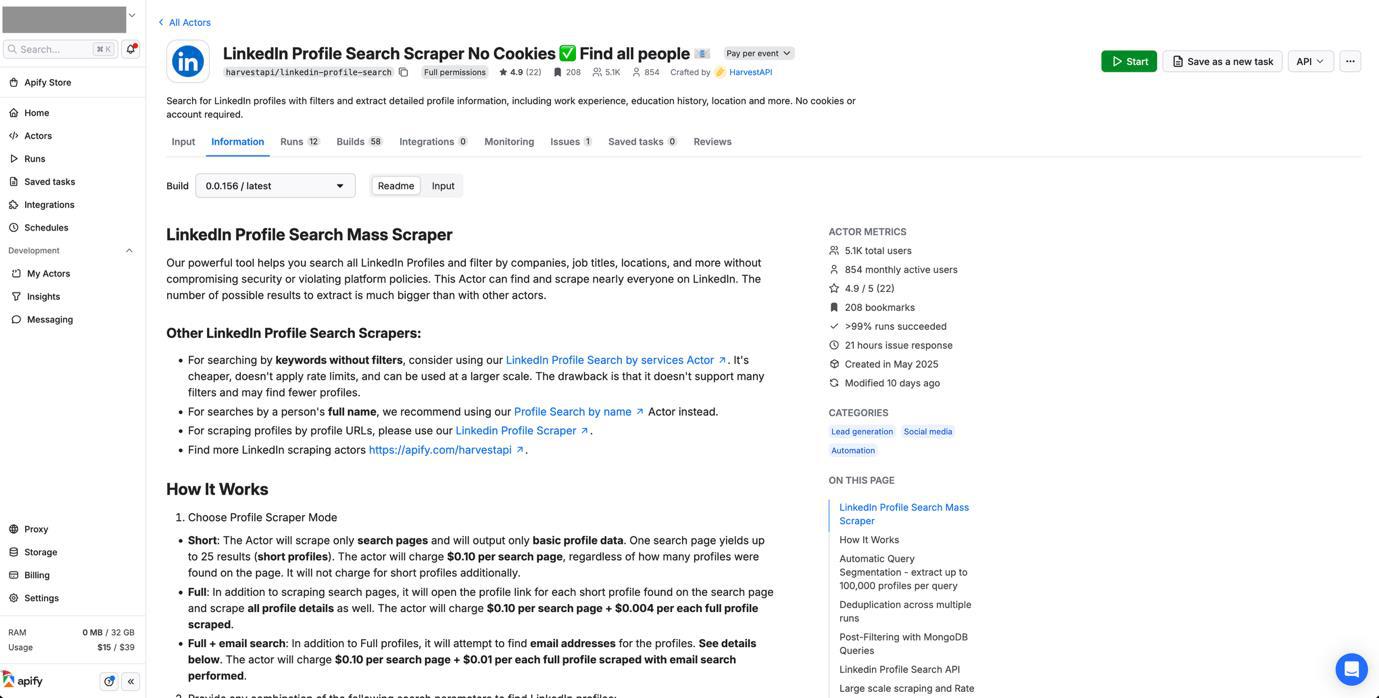
Figure 3. The LinkedIn Profile Search Scraper allows us to search for a specified number of employees for a given company. We can filter by seniority level, years of experience, location, etc.
The benefit of using Apify-hosted tools is that it handles the complex task of bypassing LinkedIn’s scraping protections. The scrapers require no cookies or LinkedIn accounts and operates at scale with high success rates. We scraped only public profiles and posts, limiting our activities to publicly accessible information.
After collecting the data, we processed the raw data into a structured format. We generated a hierarchy.txt file that defines a perceived organizational structure for the profiles we collected based on their job titles and roles. Each employee gets a folder (using the naming convention FirstnameLastname), and within that folder, their posts are organized as post_01, post_02, etc. Each post folder contains a post_content.txt file with the LinkedIn post text and associated images (which are downloaded separately from their public URLs using a custom script).
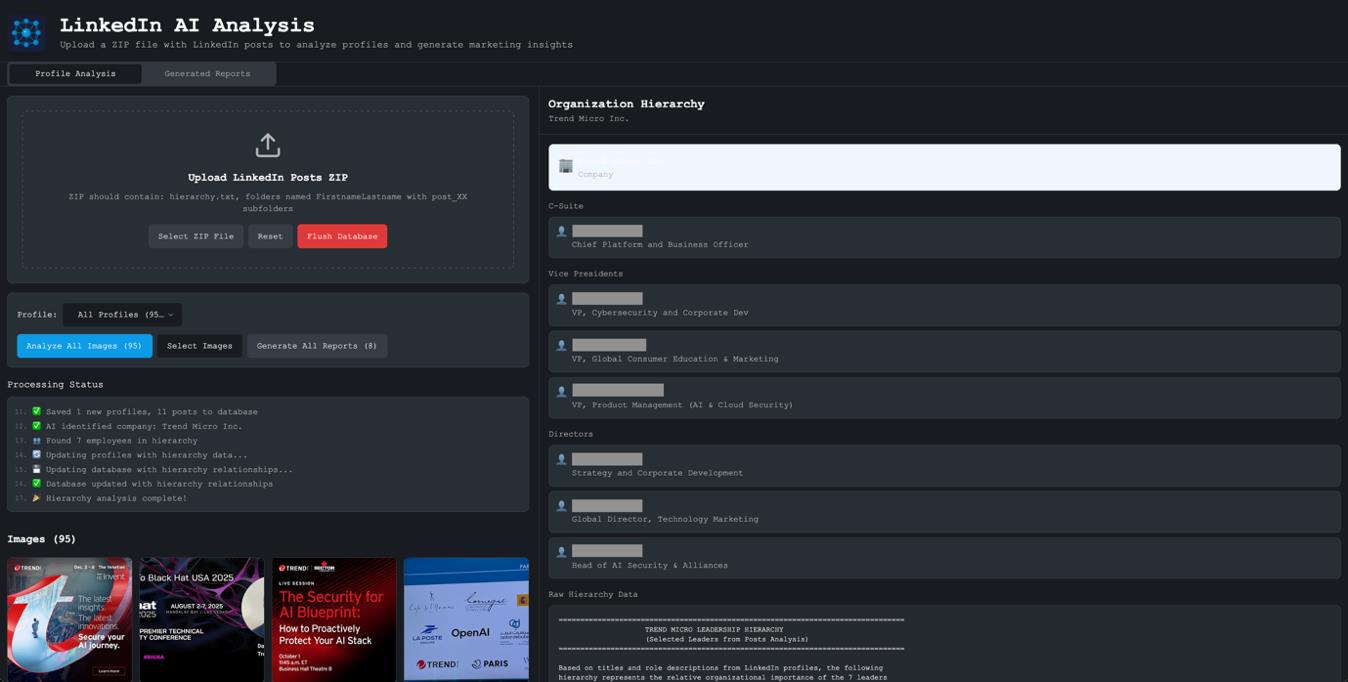
Figure 4. When we first upload the zip package to our tool, it automatically processes all images to remove duplicates and analyzes hierarchy.txt to understand the corporate hierarchy of the employees included.
The LinkedIn AI analysis tool takes a zip file containing the structured data as input. When the file is uploaded, the tool traverses all directories and subdirectories, extracting hierarchy information and collecting all images. It then displays a preview grid of the images and shows the organization’s hierarchy on the right side of the screen.
The hierarchy panel shows the company at the top, with employees organized by their level in the organization. This organizational hierarchy is crucial for understanding each person’s responsibilities and influence, with the upcoming “marketing” messages tailored to their perceived authority in company decision-making.
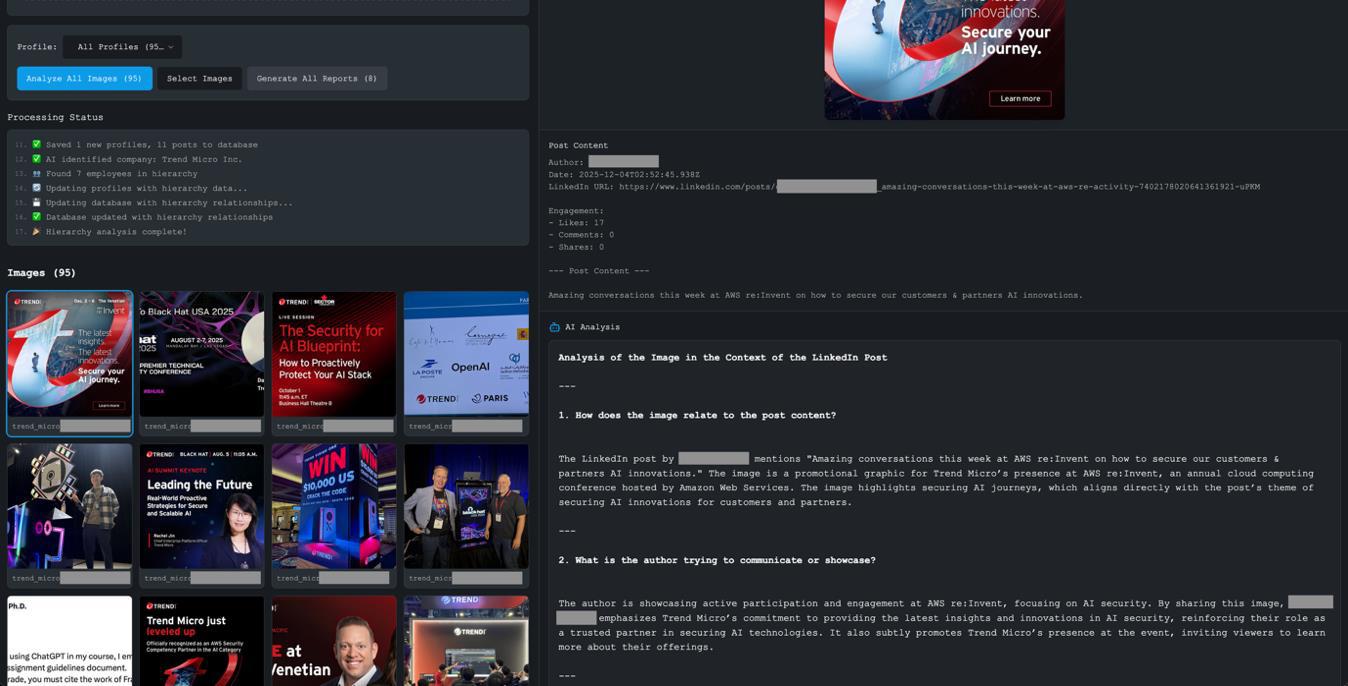
Figure 5. Once the images are analyzed, clicking on them shows an AI-generated detailed analysis of the images and the corresponding LinkedIn posts.
A key feature of the tool is image analysis (since a substantial amount of information can be extracted, extrapolated, and/or inferred just by analyzing the images). Note that each image is analyzed in the context of its accompanying post. Once an image is clicked, the tool shows both the image and the original LinkedIn post content. The AI analysis takes both into account, understanding not just what is in the image, but why it was shared, what professional message the person sharing it was trying to convey, and other types of information that can be inferred via the examination of the image.
The contextual analysis prompt instructs the model to consider the following: How does the image relate to the post content? What is the author trying to communicate? What professional or marketing message is being conveyed? What insights can we gather about their professional interests, activities, and network? This provides us much richer intelligence than image analysis alone.
Once the analysis of all the images are completed, the user can click on Generate All Reports. The tool then creates a hierarchical report structure, that is, a company-level report providing insights into the organization, along with individual employee reports that will be used to profile each person based on their posts and images.
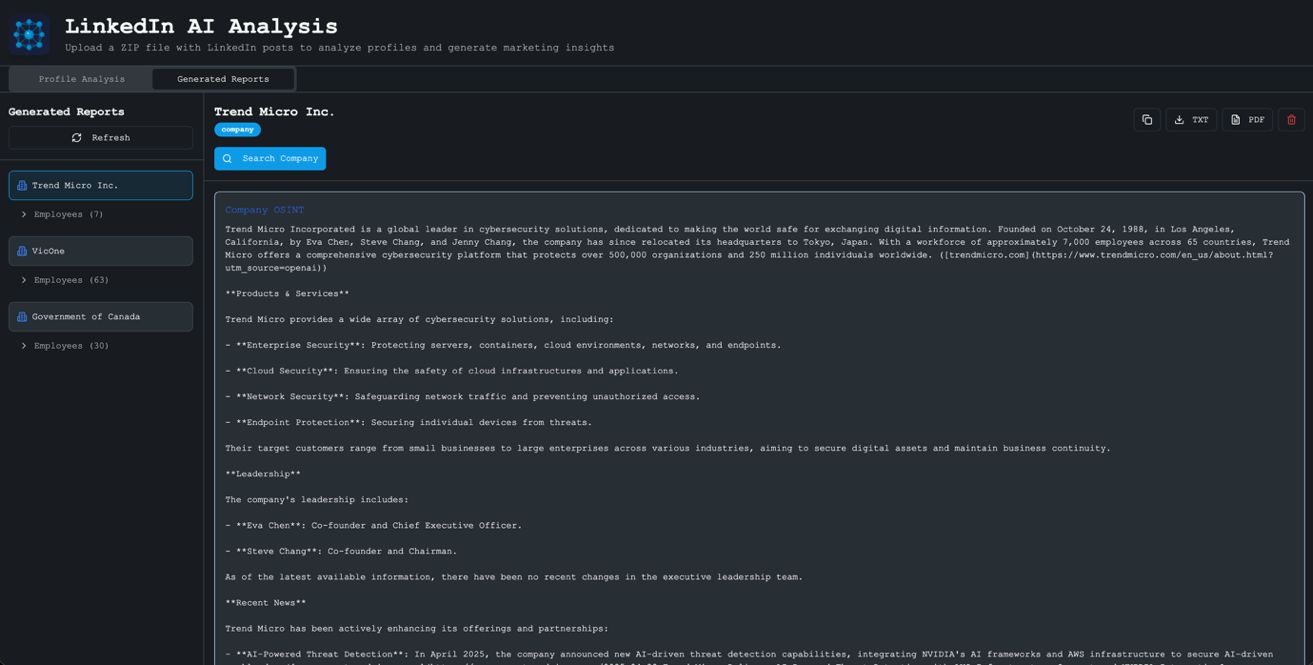
Figure 6. Once the tool processes all images and generates a report, we can access it under the Generated Reports tab. This lists all the companies that we profiled and their corresponding lists of employees.
The Generated Reports tab has a collapsible tree structure. Companies are listed with their employee counts, and expanding a company shows all the employees whose profiles have been generated. Clicking on an employee reveals their detailed profile report.
Each employee profile includes an AI-generated comprehensive analysis, including their name and role, their professional background and expertise areas, key themes from their content, and insights derived from the posts and images they have shared. But this is just the starting point; the tool provides four additional functions to enrich the profile and generate actionable marketing content:
- Function 1: Search Person (web OSINT search)
- Function 2: Identify Marketing Subject Areas
- Function 3: Generate Sample Marketing Emails
- Function 4: Generate Email Addresses
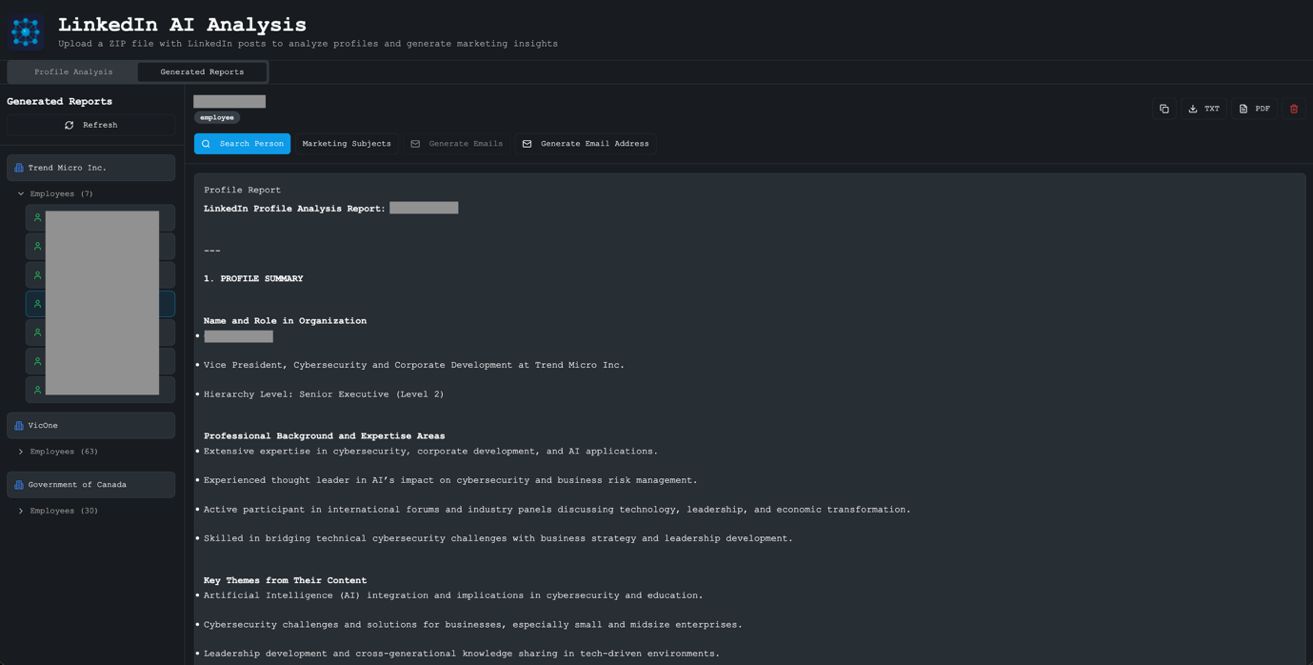
Figure 7. By clicking on the collapsible tree for employees, we can select individual employees and read their profile reports. The tool has four additional functions: Search Person, Identify Marketing Subject Areas, Generate Sample Marketing Emails, and Generate Email Addresses
When the Search Person function is clicked, the tool uses the identifying information that has already been inferred to do a comprehensive web search for the subject combined with their company name. For example, searching “D**** G***** Trend Micro” returns additional OSINT on their public-speaking engagements, publications, social media presence, and professional history. This web search enrichment significantly expands what we know about each target.
Once we have these dual profiles available for our subject (image analysis + post context and web search OSINT), we can then ask the tool’s large language model (LLM) helper to analyze the combined profiles and identify “marketing” subject areas. The tool identifies the top three (can be expanded if required) marketing subject areas that would resonate with this person, that is, topics they care about deeply and would likely engage with. This would be perfect for targeted marketing or, in less ethical hands, phishing campaigns.
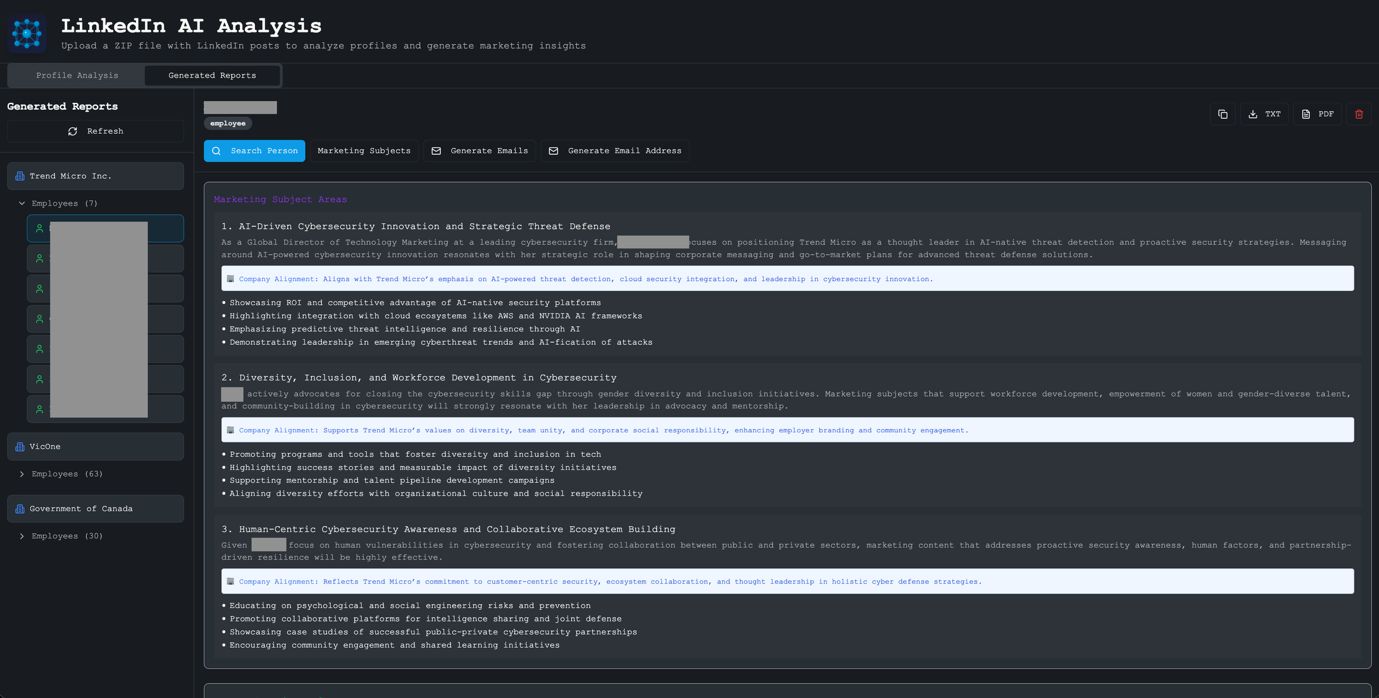
Figure 8. We can generate a profile based on image analysis. We can also generate an OSINT profile of our target using web search. Combining the two provides us an enriched profile, which, when correlated with the person’s position in the company hierarchy, allows us to identify highly targeted “marketing” subject areas within their sphere of influence.
Once the tool has analyzed, generated, and ranked the top three “marketing” subject areas, we generate sample “marketing” emails for each. These emails reference specific details from the person’s profile, such as their role, their company, topics they have publicly discussed, and events they have attended. The high level of personalization makes these emails especially convincing and relevant.
The tool also helps with email discovery. It searches the web to find examples of the company’s email format. After a pattern is identified (e.g., firstname_lastname@companyname.com), it uses this pattern to generate the most likely email address for our target, plus variations covering other common formats (firstname.lastname@, flastname@, firstnamel@, etc.).
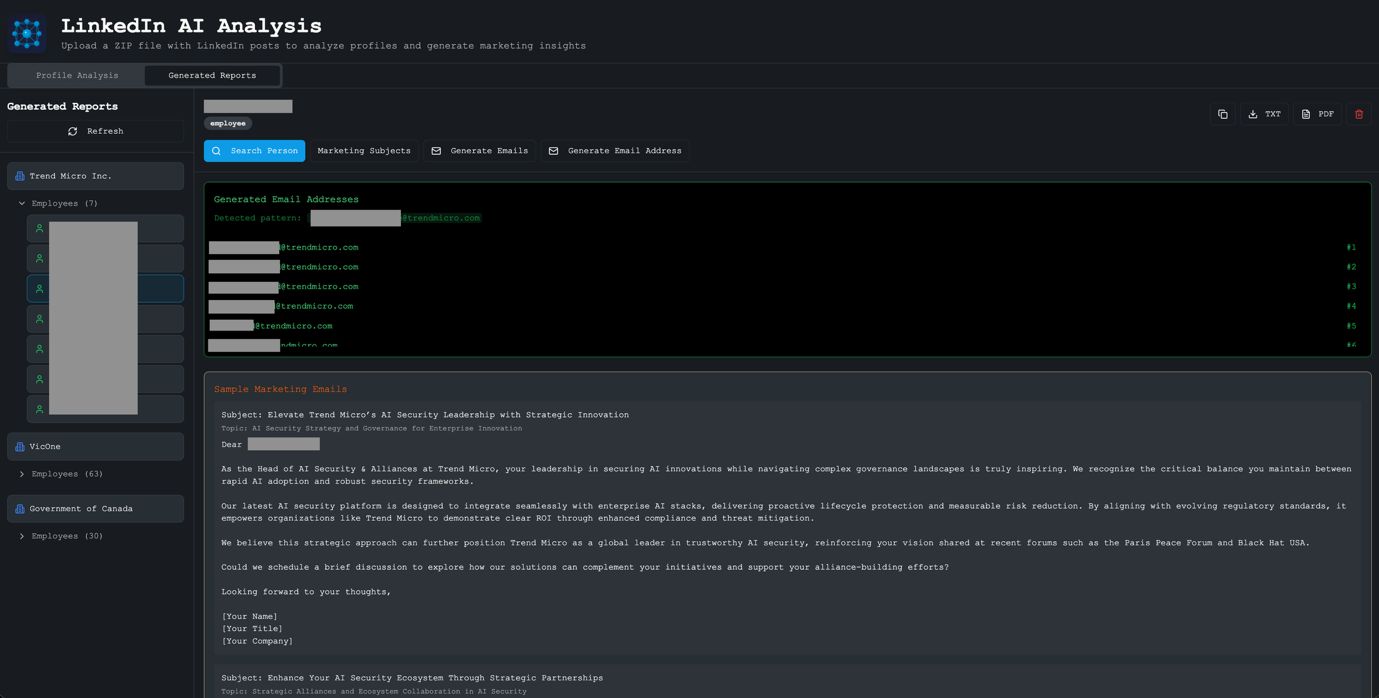
Figure 9. The Generate Email Address function searches for examples of the target company’s email address and gleans the pattern used. Then, to cover all bases, it creates multiple iterations of the target email address.
Once we determine the “marketing” subject areas, create the corresponding “marketing” emails, and identify a set of likely email addresses for our subject, it is now time to generate the “marketing” site (aka the “phishing” site). We pasted the content of our marketing subject area and the corresponding marketing email into an AI coding assistant (in this case, Claude Code) and asked it to create a “detailed website with which my clients can interact.” We also asked it to include detailed images collected from the internet that matched our theme, along with realistic statistics to add to the narrative.
In this example, where we are targeting cybersecurity professionals at Trend Micro who focus on AI security, we created a “SecureAI Platform” website. This fictitious product addresses the exact concerns our targets discuss in their LinkedIn posts, such as AI security threats, model protection, and compliance.
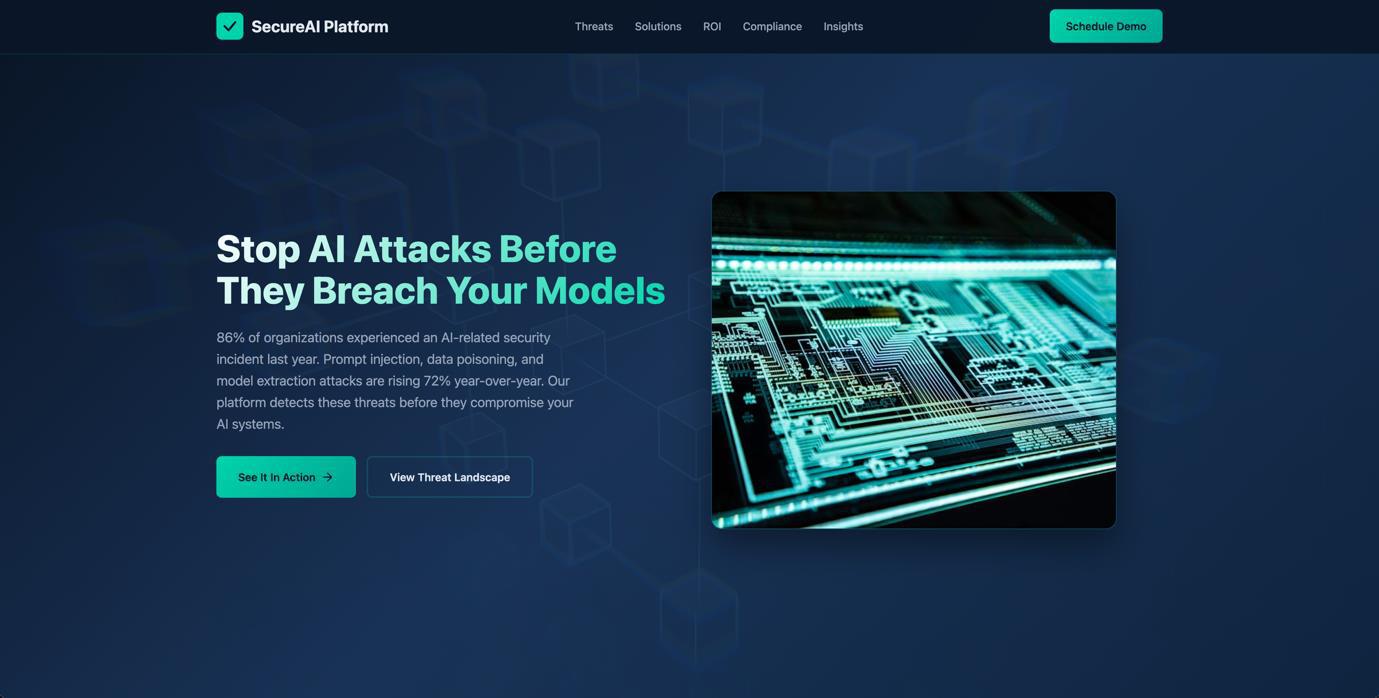
Figure 10. A sample site we created by vibe coding using the “marketing” subject areas, along with a sample “marketing” email. This was created in less than three minutes with a single prompt.
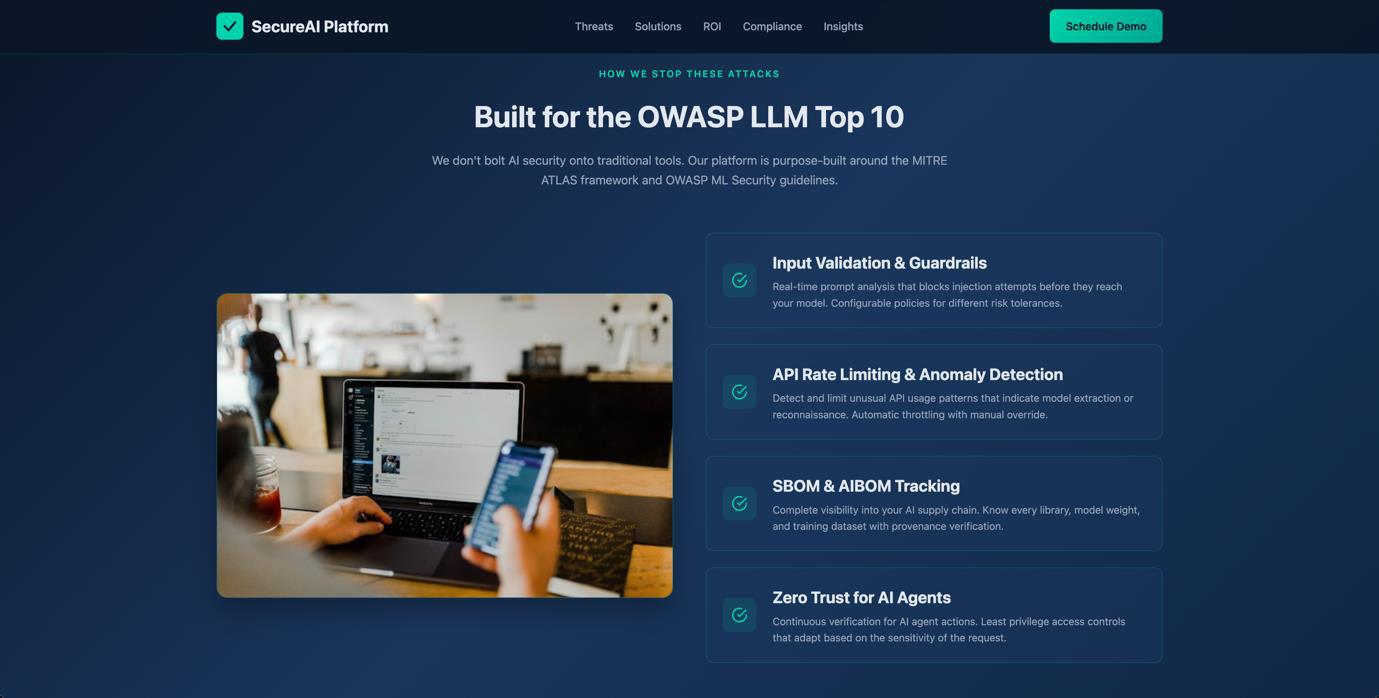
Figure 11. The vibe coding tool automatically downloaded appropriate images, while also placing targeted information from the target’s profile into the sample marketing website.
The generated site references real industry frameworks (MITRE ATLAS, OWASP) and includes realistic statistics, all while displaying content that speaks directly to the concerns of AI security professionals. With a few extra prompts, we can easily change where the links on our custom website point to, thereby converting this sample page into a highly targeted phishing site.
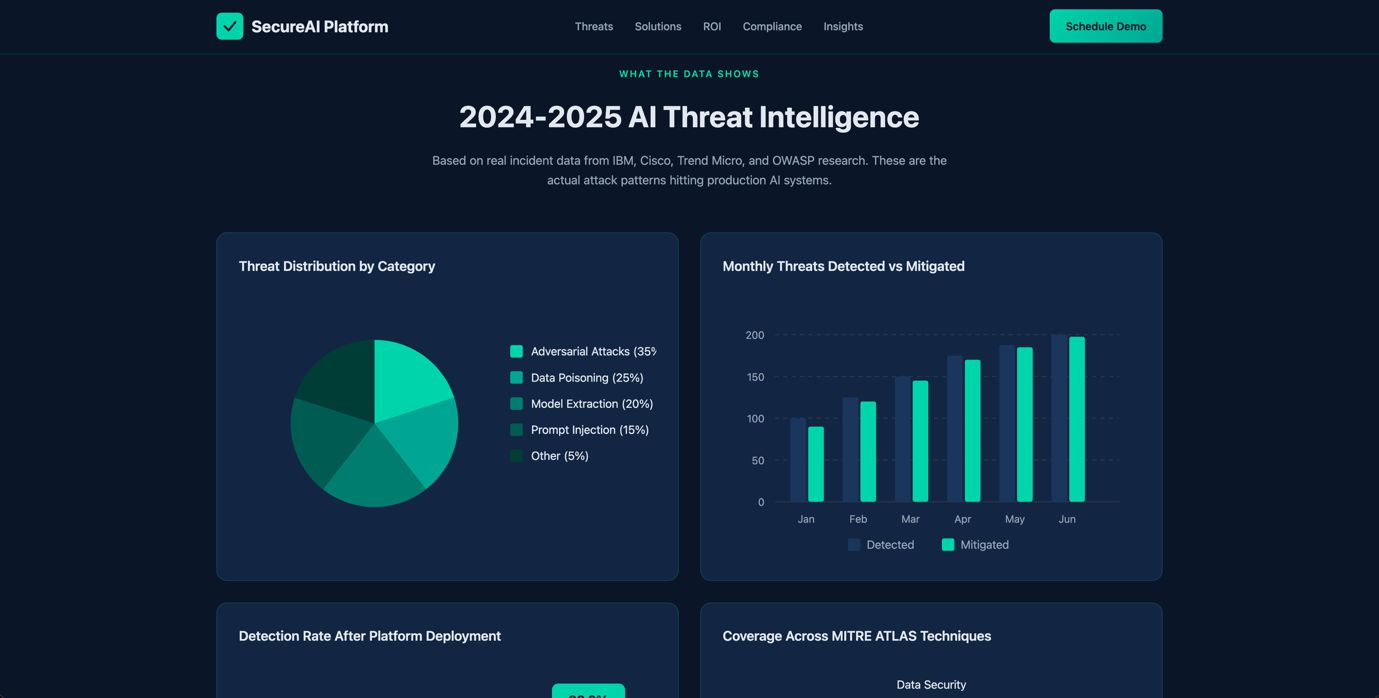
Figure 12. The vibe coding tool also pulled real statistics from the web and included it in the site that it built, similar to a real site. These help create an image of a realistic “marketing” site, all built in a few minutes.
Building our LinkedIn AI analysis tool took a single researcher just over 24 hours of work using Claude Code for vibe coding, with Supabase running locally in Docker. Profiling an entire company’s leadership team, from scraping their public LinkedIn posts to generating personalized phishing pages, takes less than 30 minutes, and all of this with a PoC tool.
We previously experimented with building n8n workflows to automate “scam factories,” and with a bit of extra work, we could easily convert this PoC tool into an automated n8n workflow. This would essentially build an AI-powered phishing factory that automatically collects public LinkedIn profiles, downloads posts and images, analyzes them to build enriched profiles, identifies targeted phishing topics, creates personalized emails and likely email addresses, and deploys convincing phishing sites.
A process like this would have cost many man-hours in the past. With today’s AI-powered tools, we are able to build this level of automation and AI processing within approximately 24 hours, something that threat actors will be able to do more efficiently. The implications for the security of enterprises are significant: The public LinkedIn activity of their employees are now a rich source of intelligence for highly targeted attacks.
Conclusion
This project does not demonstrate a novel technique. Instead, it establishes a new baseline.
Every component used in this research relies on publicly accessible information and widely available tools: no privileged access, no breach, and no insider knowledge. Yet the result is a system capable of profiling leadership teams, identifying personal interests, and generating tailored content at a speed and scale that would have been impractical to attempt even just a few years ago.
The most significant takeaway from this study is not the sophistication of the tooling, but how accessible it has become. A single researcher, working for just over a day, was able to build a functional PoC system capable of automating large parts of what would previously have required substantial manual effort. That alone should prompt serious reflection within enterprise security teams.
Organizations have traditionally focused their defensive efforts on infrastructure, endpoints, and network telemetry. While these remain critical, this work highlights a parallel exposure layer: the cumulative intelligence revealed through employees’ public digital presence, which is now increasingly interpretable not just by humans, but also by machines.
This is not a future threat. The techniques demonstrated here are possible today. If defenders continue to model threat actors as operating with human-scale constraints, they will consistently underestimate both speed and scale. The tooling is accessible, the incentives are obvious, and the cost-benefit equation increasingly favors automation.
The question is no longer whether this capability will be abused, but whether organizations will adjust their assumptions before it is.
About the authors
The Forward-Looking Threat Research Team of TrendAI™ Research is a group that specializes in scouting technology for one to three years in the future, with a focus on three distinct aspects: technology evolution, its social impacts, and criminal applications. As such, the team has been keeping a close eye on AI and its potential misuses since 2020, when the team authored, in collaboration with Europol and the United Nations Interregional Crime and Justice Research Institute (UNICRI), a research paper on this very topic.
Like it? Add this infographic to your site:
1. Click on the box below. 2. Press Ctrl+A to select all. 3. Press Ctrl+C to copy. 4. Paste the code into your page (Ctrl+V).
Image will appear the same size as you see above.
HttpContext.GetGlobalResourceObject("ES","RecentPosts")%>
- TrendAI™ 2026 Cyber Risk Report
- The Hidden Risk in Your AI Rollout: Your Endpoints
- When AI Becomes a Zero-Day Machine: What Public Sector Organizations Need to Know
- A Data-Driven View of Cyber Risk Structure: How Attack Pressure and Exposure Shape Damage
- Hunt Them All: An AI-Powered Vulnerability Sweep of 19,000 MCP Servers
 Fault Lines in the AI Ecosystem: TrendAI™ State of AI Security Report
 It’s By Design: The Use-After-Free of Azure Cloud
 TrendAI™ 2026 Cyber Risk Report
 Guarding LLMs With a Layered Prompt Injection Representation