Skip to content

Mobile Security Personal Edition

Smart protection for your Android™ devices

Trend Micro Mobile Security Personal Edition for Android box

To protect your personal data and precious memories, Trend Micro™ Mobile Security Personal Edition features:

  • A Free App Scanner that ensures everything you install on your device is safe
  • Surf, Call, Text Security that keeps you and your kids safe online, avoiding unwanted contact
  • Lost Device Protection that lets you find, lock or wipe your missing mobile device

Android icon

Mobile Security. It’s getting personal.

Smartphones and tablets contain some of our most precious memories and personal details, including access to financial transactions and other secure locations.

Cybercriminals now develop 5 new threats every second. With the sharp growth in smartphones and tablets, the bad guys are aggressively attacking these devices and your information with a new range of insidious threats.

Now you can protect your Android™ device from loss, malicious apps, and web threats with Trend Micro Mobile Security Personal Edition. A trusted security leader for 20+ years, Trend Micro blocks 5 billion threats daily for over 100 million customers worldwide.


In 2011, an estimated 500 million smartphones and tablets were sold. Every second five new threats against computers are released by cybercriminals because there are so many potential victims now.

Smartphones and tablets are the new frontier for cybercriminals. They are mini-computers that contain your personal information that can be compromised.

Free App Scanner

Trend Micro Free App Scanner screenshot

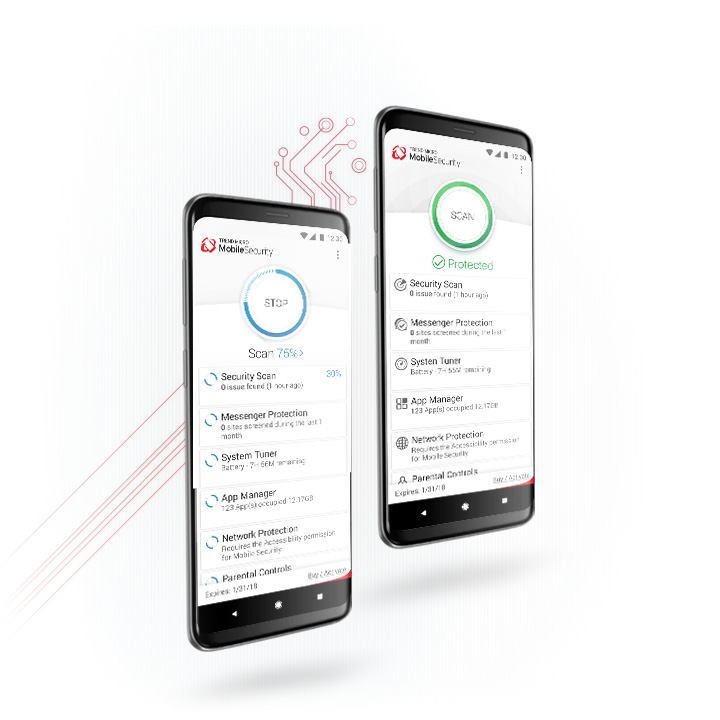
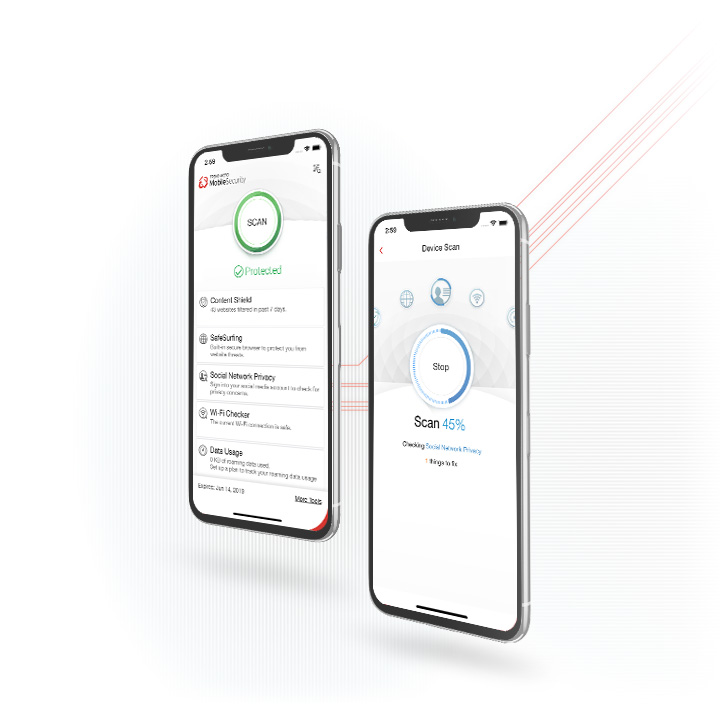
Trend Micro Mobile Security scans the files and apps on your device to ensure they don’t infect your device and steal your data.

Surf, Call, Text Security

Trend Micro Mobile Security Personal Edition  Safe Surfing screenshot

The web continues to be a treacherous place. Phishing sites in spam email and infected websites are just a few of the dangers. Trend Micro Mobile Security scans every page you visit with the same reputation checking service that protects over 100 million people worldwide. If the site is risky, it’s blocked.

Receiving unwanted calls and texts is annoying, can cost you money, and waste your time. Mobile Security allows you to set lists of approved contacts, or a list of blocked contacts, so you can control who can reach you. Malicious websites are blocked by the Trend Micro™ Smart Protection Network™, protecting you from banking scams and other online threats that can lead to fraud and identity theft.

Parental Controls

Trend Micro Mobile Security Personal Edition  Parental Controls screenshot

Do you let your kids use your mobile device? Have you just bought a new one for your children? You can use Trend Micro to block inappropriate websites. You can also use text and call blocking to stop bullies and unwanted callers.

Call and Text Blocking

Trend Micro Mobile Security Personal Edition  Call & Text Blocking screenshot

Unwanted calls and texts not only waste your personal time, they can also cost you money, or seriously harm your children’s well being. With call and text blocking, you can control who gets through and who doesn’t.

Lost Device Protection

Trend Micro Mobile Security Personal Edition  Lost Device Protection screenshot

If you have ever lost a mobile device, you know how painful it is. Your mind quickly jumps from “Where did I leave it?” to “Did someone steal it?” to “Who are they calling?” and finally, “What are they doing with all my info?”

With Trend Micro Mobile Security, you have access to a personal website that lets you locate your phone on a map. If it’s near you (like on the fridge), you can trigger the alarm. If you can’t retrieve it immediately, then you can lock it.

And finally, if you can’t find it, you can remotely wipe clean your device of personal data.

Access your personal online portal www.trendmicro.com/ilostmyandroid (no need to remember phone numbers and SMS commands).

Locate your device

Find your device on a Google map. Even if you don’t have GPS switched on, Trend Micro Mobile Security Personal Edition will switch it on temporarily to get the device location.

Sound an alarm

If you can’t find your phone, just log on and sound a 1-minute alarm to find it. Even if the phone is on silent (when it won’t help calling it).

Lock the device

Remotely lock your device so that anyone who has found it can’t steal the data or run up huge bills. You can also customize a message for the screen to help get your device returned.

Wipe the device

If all else fails and your device is lost forever (we hope it doesn’t come to this), you can remotely wipe all data from the device, including additional storage.

SIM Card Lock

If your device has been stolen and the SIM is removed, it will automatically lock and your customized message will be displayed.


Platform: Google Android
Operating system: Android OS 2.2 and above
Storage space: 7.5-MB minimum
Memory usage: 9-MB for phone, 16-MB for tablet
Others: Internet connection


Connect with us on