What Is the Dark Web? Is the Dark Web Illegal?
Trusted by 8 of the top 10 Fortune 500 companies.
We'll have your back, too.

Ranked #1 in phishing detection

30+ years of experience

Companies trust Trend

Top-rated protection for you

Trend Micro ScamCheck
Android iOS
Stop scams and spam
• Check for scams
• Filter scam texts
• Block unwanted calls
• Detect AI video scams
• Block risky websites
$19.99
ID Protection
Windows Mac Android iOS
Defend against identity theft and fraud
• Dark web monitoring
• Social media account protection
• Password manager
• Protection against web threats
• Privacy-enhancing browser extension
$49.99
$89.99 (Save $40)
Trend Micro VPN
Windows Mac Android iOS
Browse the web securely
• World-leading encryption
• Unlimited bandwidth
• No speed restrictions
• Public Wi-Fi protection
• Multiple servers around the world
$29.95

Snap the scam. Stop the worry.
Get Trend Micro ScamCheck, your all-in-one defense against scams in the age of AI.
Stay safe in the age of AI
Excited about AI, but not sure of the risks? We have you covered.

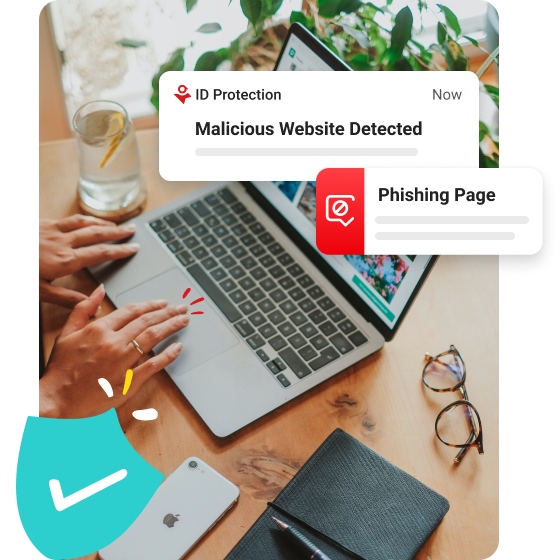
We have the tools, you have the control
Whether you’re looking to secure your devices, defend against identity theft, safeguard your social media against hackers, or anything in between, we’ve got you covered.
Helping you stay safe online

What people are saying about Trend Micro
Great Security at Great Price
#Maximium Security
I have had this security program for more than 5 years and we are very satisfied.
Ljordin
Sep 12, 2023
Excellent product
#Antivirus + Security
Microsoft recommends this product and I have been satisfied with it
Lrmanz54
Aug 27, 2023
Works Well
#Maximium Security
I have been using Trend Micro for a number of years. Up to now no complaints, it works well.
Argonaute
Aug 20, 2023
Get protected while you save some dollars!
#Maximium Security
I have been a fan of Trend Micro for a decade, if not longer. I have never had my computers infected with any kind of malware while using Trend Micro. In my opinion Norton, McAfee, and other expensive programs are way overpriced. Go with Trend Micro and your computer will be protected while you save some dollars!
owoodeneye
Aug 18, 2023
Great Peace of Mind
#Antivirus + Security
I've had Trend Micro for a few years, and it's been more than helpful. I especially like the monthly reports the most.
Bobby78
Jul 11, 2023
I can relax
#Premium Security
I've used your products for many years. I don't worry about anything online any more. I love Vanessa on Facebook, jumps right in and helps me out, always helpful. I spoke with your employee today on the phone and I'm even happier now because of your kindness and patience. Great prices too.
Debz
Jun 29, 2023
Just right
#Antivirus for Mac
This software works great with my mac book pro. Tech Support assistance was 5-stars
DJ GinoWilson
Apr 23, 2023